Are you finding ways to bid farewell to the traditional UX audits that used to take weeks or months and cost thousands? The process was extremely slow and expensive: a senior UX researcher was brought in to review the site, document relevant issues, and then deliver a proper report. Apart from being slow and expensive, the process was pretty subjective. The more minds, the more different opinions. Several scenarios have been found where the same level of experienced UX researchers would flag different issues. Despite this concern, design teams even today tend to run audits the same way they did years ago. Here comes the game changer – AI UX audits!
What is a UX audit? If a website all of a sudden drops in terms of conversion or increases in terms of bounce rates, it is the user experience where the issue. A UX audit is done to maintain a systematic view where one gets a proper idea of what usability issues are holding the site back. Here you receive a detailed overview of what’s working and what is not, and what needs to change. A UX audit goes far beyond a simple checklist: a thorough evaluation highlights which issues should be prioritised to ensure that they do not hinder the website’s overall performance.
Doing a UX audit:
- Improve customer satisfaction
- Reduce user frustration and turn-off points
- Ensure seamless data-driven decision-making
- Boost customer retention and increase value
- Allow you to focus on what users actually need
- Drives high conversion rates and supports revenue growth
Overall, UX audits can assist in identifying usability issues, conversion barriers, and growth opportunities quickly. Artificial Intelligence experts are transforming every industry vertical, and UX auditing is no longer an exception. The technology has completely changed the way websites and software platforms are reviewed, tested, and well optimised. Tasks with human effort for weeks to complete are taken care of in a fraction of the time. Today, UX professionals, with the help of such disruptive technologies, can uncover lots and lots of opportunities faster and make better decisions.
There was a time when AI playing a significant role in UI/UX design felt like an impossible project. And now, without AI, conducting smart UX audits is unachievable.
What is an AI UX Audit?
As the name implies, an AI UX audit is a proper evaluation of a website, app, as well as a software platform that makes the most of artificial intelligence to find usability problems, content gaps, conversion blockers, and accessibility issues. The term can be defined by how it is used. AI tools are used to speed up traditional UX audit procedures and to determine how an AI feature or chatbot communicates, develops user trust, and handles unwanted friction.
AI UX Audit uses artificial intelligence to analyse a website, eCommerce store, or software platform and spot potential usability, conversion, and content issues.
Certain aspects AI can take care of:
- Review hundreds of page layouts and visual hierarchy
- Search visibility and AI search readiness
- Identify recurring usability issues
- Mobile usability
- Compare competitor websites
- Calls to action and conversion paths
- Content clarity and messaging
- Navigation structures
- Spot conversion bottlenecks
- Easy Accessibility
- Friction points spotted among user journeys
- Generate potential enhancement ideas
Earlier scenario – Conducting a proper UX audit required reviewing multiple areas such as analytics, user journeys, content, top competitors, and conversion funnels. Whether it is a large website or a small one, the same process can take many days; this is where AI can help. The technology now surfaces patterns, inconsistencies, and opportunities like never before.
For example, Loop11’s AI Insights enables users to leverage the power of OpenAI and ChatGPT’s Artificial Intelligence (AI) models. Time to receive faster, accurate results, save money, and scale up user testing efforts, which further leads to well-informed decision-making. AI insights write AI-generated summaries, especially of audio transcriptions, analyse the results of each task, and enable writing a summary report of the project.
What does an AI UX Audit Cover?
Here is a checklist of different aspects of an AI UX audit and how something that used to take weeks to do manually can be completed in a few days.
- Accessibility Scoring
Once considered a compliance requirement, accessibility scoring does carry a significant impact on conversion. Sites that score poorly on accessibility can have usability issues that affect all users, not just some.
- AI checks colour contrast ratio and text readability against standards such as WCAG AA and AAA
- Alt text coverage, especially for any missing or generic image descriptions
- AI checks keyboard navigation
- AI focuses on elements which can be visually distinguished
- AI checks that all inputs are labelled properly
- The technology checks if accessibility roles and states are used in the correct manner.
- Minimum 44x44px tap targets on mobile
It has been observed that sites which have increased accessibility score see a sudden increase of 10 – 20% in terms of checkout rates.
- Analysing Navigation
Another interesting aspect of an AI UX audit is that it evaluates what exactly the user needs.
- How deep is the menu? How many clicks are required to reach key pages
- Are the groups logically categorised?
- Does search show relevant results?
- Can users orient themselves?
- What is Mobile menu usability?
- Is the footer used as a safety net for hard-to-find pages?
Here’s a tip: Important pages should not be buried more than 3 clicks deep. Also, remember that search doesn’t handle typos or synonyms, and mobile menus shouldn’t have too many top-level items.
- Mobile Usability
The mobile traffic exceeds 60% for almost all sites; here’s how mobile UX issues can impact overall revenue.
- Tap targets – Size, spacing, and overlap of interactive elements
- Text readability – Font size, line height, and contrast on small screens
- Horizontal scrolling – Content, especially when it extends beyond the viewport
- Input types – Correct keyboard types for email, phone, and number fields
- Viewport configuration – Proper meta viewport settings
- Touch gestures – How are swipe, pinch, and scroll behaving
- Sticky elements – Headers, CTAs, and navigation that follow scroll
- Loading performance – Mobile-specific speed metrics on 3G/4G
- Page Speed and Core Web Vitals
Speed is referred to as an increase in usability, a space where every second counts and increases conversion costs.
- Largest Contentful Paint (LCP) – In how many seconds does the main content appear? It should be within 2.5 seconds.
- First Input Delay (FID) / Interaction to Next Paint (INP) – How responsive is the page to interaction? Target: under 200ms
- Cumulative Layout Shift (CLS) – In how many seconds does the content jump around during page loads? It should be under 0.1 seconds.
- Time to First Byte (TTFB) – What is the server response time?
- Total Blocking Time (TBT) – Is the main thread blocked, and for how long?
Here, the technology checks which specific resources are slowing down the page, whether a third-party script adds more seconds of load time, whether images are properly sized, and whether lazy loading has been implemented where it is supposed to be.
- Visual Layout
AI thoroughly analyses overall page layout and structure in terms of these aspects:
- CTA prominence – Do you think the primary action is visually dominant?
- Content scanning patterns – Does the layout support F-pattern or Z-pattern reading?
- White-space usage – How is the readability?
- Above-the-fold content – Does the first viewport communicate value and next steps
- Competing elements – Are there too many CTAs or visual focal points?
- Form Usability
Forms are the core element; they are capable of making a conversion alive or dead.
- Field count – In case of unnecessary fields
- Label clarity – If users can understand what each field requires
- Error handling – Are validation errors clear, specific, and inline?
- Default values – What about smart defaults; can they be used in appropriate scenarios?
- Progress indication – For multi-step forms, is progress visible?
- Autofill support – Do fields have proper autocomplete attributes?
Implementing AI-Powered UX Audits
Here we will unveil how AI-powered UX audits work. Time to go through the step-by-step procedure.
Step 1 – Define goals and gather data
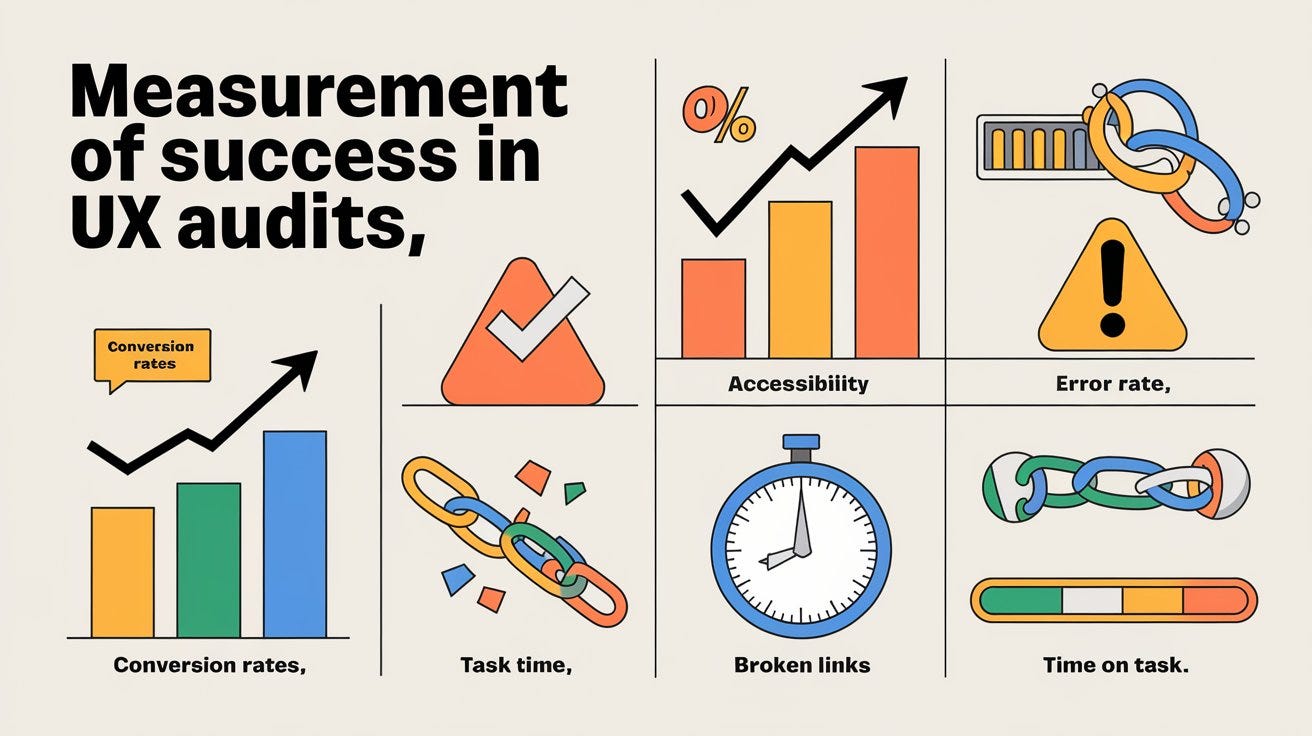
It is advisable to choose clear KPIs such as bounce rate, conversion rate, task time, and drop-off points. Make sure you feed qualitative data using Google Analytics and Mixpanel. Do not forget to grab the target page’s HTML source code and optional CSS styles.
Step 2 – Choose the right AI tools
Use AI assistants with browser tools that successfully process and interact with the website in a different way. Do not forget to test your website for AI and Human Usability. AI-powered assistants like ChatGPT-4o, Claude 3.5 Sonnet, and others are increasingly performing web-based tasks on behalf of users. So do not miss out on the growing audience. And evaluate live pages well. Lastly, use AI to transcribe user interviews, cluster support tickets, and flag obvious layout, contrast, or readability bugs.
Step 3 – Run and generate structured reports.
Time to set a clear role. Ask AI to analyse navigation, mobile responsiveness, and how effective the call-to-action is. Have a structured report where the biggest risks are highlighted, and the visual hierarchy is rated.
Step 4 – Implement fixes
Sort all the AI findings into quadrants; this is the sure-shot way to tackle high-impact, quick wins. Of course, AI is great when it comes to speed and detecting patterns, but human input is equally important, especially when executing technical fixes, which is why companies frequently hire PHP developers to refactor the underlying backend code.
Lastly, make AI UX audit a habit rather than a one-time process.
Practical Advantages of AI-Assisted UX Audit
AI-assisted UX audits offer lots and lots of benefits. Here are a few to take into account.
- Speed
Websites often comprise hundreds or thousands of web pages, screens, and user flows. AI assists in analysing all the content, layouts, navigation structures, and user journeys in no time. Here, it is possible to focus on core competency and work on a pre-defined product roadmap.
- Consistency
Unlike humans, tools don’t get tired, distracted, or influenced by assumptions. AI reviews every page, workflow, and interaction using the same criteria. So identifying bottlenecks and usability issues is easy.
- Cost Effectiveness and Better Decision Making
When you automate repetitive tasks, aspects like accurate interpretation, prioritisation, user-behaviour analysis, and strategic recommendations create the best value.
In the end, it is not about finding more issues but making better decisions. AI UX audit can find hundreds of issues, but the important aspect is understanding which issues matter most to users.
Successful AI-Powered UX Audits
Some of the top-notch examples of AI-powered UX audits to consider.
- Spotify – An AI UX audit has led to enhanced satisfaction of the user base; the AI solution is used to optimise its UX by analysing past user behaviour and creating personalised playlists.
- Dropbox – Dropbox has enhanced its onboarding process, especially for new users. It became easier to adapt to the platform.
- Canva – Canva is another live example of improving the design tools to identify what appeals to the user and thus creating personalised design templates.
Challenges in Implementing AI-Powered UX Audits
Despite all the above-mentioned capabilities, there are certain areas where AI falls short. For example, unlike humans, it no longer understands end customers, business objectives or industry context. For example, AI can spot a form containing too many fields, but it cannot spot whether those fields are necessary or not. In addition, AI cannot understand regulatory requirements, human emotions, stakeholder priorities, commercial constraints, or cultural expectations. Human intervention and experience do matter.
A Few Technical Walls to Take into Account:
- Accessibility Over-Reporting – AI accessibility scanners tend to flag complex, custom interactive elements since they don’t match up to standard HTML templates; it doesn’t matter if screen readers can navigate this seamlessly or not.
- Rigid rules – AI relies on rigid rules, patterns, and heuristics. Here, asking to delete the account can be considered a negative usability barrier or an inefficient flow.
- Visual Contrast Violations – In case there is text overlaying a background image, it can be flagged as a contrast violation if it’s calculated on a single-pixel basis. The actual fact is, human eyes can read it because of text shadows, font weight, or image positioning.
- Emotional Friction & Delight – Micro-frustrations are always ignored by disruptive technology. It won’t be able to judge the tone of voice or the current emotional state.
- Subjective Design and Aesthetics – AI cannot spot if a design feels “cheap,” “luxurious,” or “dated. It follows if the page follows layout grid rules perfectly while completely missing that the overall aesthetic does not match the premium branding.
- Cultural aspects – Another aspect missed by AI is cultural expectations, especially with regard to layout colours, symbolism, and reading patterns.
Human usability testing – Much-Needed Solution!
UX and human psychology are closely intertwined. Human usability testing simply replaces rigid logic with actual human behavior, observation, and empathy. The technology is capable of simply guessing how the end user will react on the basis of pre-defined rules. Here’s how?
- Dismantling AI False Positives
Theoretical technicalities are often ignored, and false alarms are created for actual issues. An AI might flag a confirmation pop-up, which is absolutely unnecessary. When you ask a human tester, he will hit the same pop-up and express immediate relief, stating – I was about to delete the wrong folder.
AI software evaluates pixel spacing and technical contrast, which means human testers no longer have to navigate pages using a digital ruler. Even if the text is placed over an image, if it is readable enough, humans can navigate it easily. So even if AI shows “critical contrast error”, it is no longer a concern.
Another issue with AI is that it flags multiple pathways to the same dashboard. Here, a human tester shows how three different ways can be taken to reach “Settings”, accommodating varying mental models rather than confusing.
- Capturing Missed Context
The crux of human usability testing lies in keeping a close eye on the unquantifiable – it is all about how a product makes someone feel.
[ AI Analysis ] —> Checks: Clicks, Load Times, Tag Compliance
[ Human Test ] —> Observes: Hesitation, Sighs, Smiles, Confusion, Delight
For AI, a user completing a multi-step checkout would be absolutely successful, whereas for a human tester, he or she would know whether the user is hovering their mouse or being frustrated before clicking. Humans mix their chaotic life into testing; they keep on switching tabs to check an email, get distracted by a notification, and even apply a complex, highly specific promo code. These are situations that AI simulation cannot mimic.
As soon as an app delivers an error message, AI checks whether the field is successfully aligned or not. A human tester will say I don’t trust giving them confidential information. They can successfully judge a brand’s trust and tone. Real scenarios are used here where testers see how much they can hold up, especially when a user types in an incredibly long last name, or in any other incorrect format.
As a Solution –
First, use AI to clean up the obvious stuff – look around for broken links, blatant contrast errors, and missing alt-text in seconds.
Then rope in a human tester, who will take a clean prototype into consideration by incorporating 5 to 8 real users. They will keep a close eye on where they stumble, listen to what they say aloud, and use their emotional feedback; this is how a great, unique human-centred product is developed.
Final Verdict
AI technology is transforming the industry, but it won’t entirely replace human judgement and instincts. By combining both, businesses can expect quick analysis, wider data coverage, and more detailed insights than ever before. With the help of proper AI tools, spotting relevant patterns and surfacing usability issues is possible. In a nutshell, UX professionals shouldn’t be replaced by AI; on the contrary, they should be well-equipped with the technology. This is how competitive advantage can be gained.

- Automating UX Audits with AI: What Works and What Doesn’t - October 12, 2026
- UX Testing for SaaS Onboarding: Finding Drop-Off Points Before Users Churn - August 4, 2026
- How AI Agents Are Reshaping the Future of UX Research - June 16, 2026
 Give feedback about this article
Were sorry to hear about that, give us a chance to improve.
Error: Contact form not found.