UX research has always had a practical job: help teams understand what users need, where the experience breaks, and what should change next.
Instead of planning one study, running sessions, manually sorting findings, and sending a report into the product void, teams can now use AI Agents to support research planning, user testing, analysis, design recommendations, stakeholder reporting, benchmarking, and post-launch iteration.
AI Agents can process more inputs, surface patterns faster, and test digital journeys in new ways. They cannot replace user empathy, research judgment, or the messy context that explains why people behave the way they do.
For UX researchers, designers, product managers, and website teams, the new design process is not “let AI do the research.” It is “use AI to make research more continuous, more accessible, and harder to ignore.”
Why AI Agents Are Entering UX Research Now
UX teams are being asked to move faster without lowering the quality of evidence.
Product cycles are shorter, website changes happen more often, and stakeholders want proof before making decisions. Researchers have more data from surveys, recordings, analytics, support tickets, and open-ended comments. Manual synthesis can quickly become the bottleneck.
AI Agents are useful because they can help teams process research inputs faster, identify repeated friction points, and support ongoing testing. They can help draft questions, summarize comments, compare sessions, and pull early themes from messy feedback.
But speed is not the same as quality. Poor study design, vague research questions, and careless interpretation still lead to weak decisions. AI can make good research faster. It can also make bad research look more organized.
Our guide on how to integrate AI Agents into your UX research process frames AI Agents as research copilots, not replacements. That is the right lens.
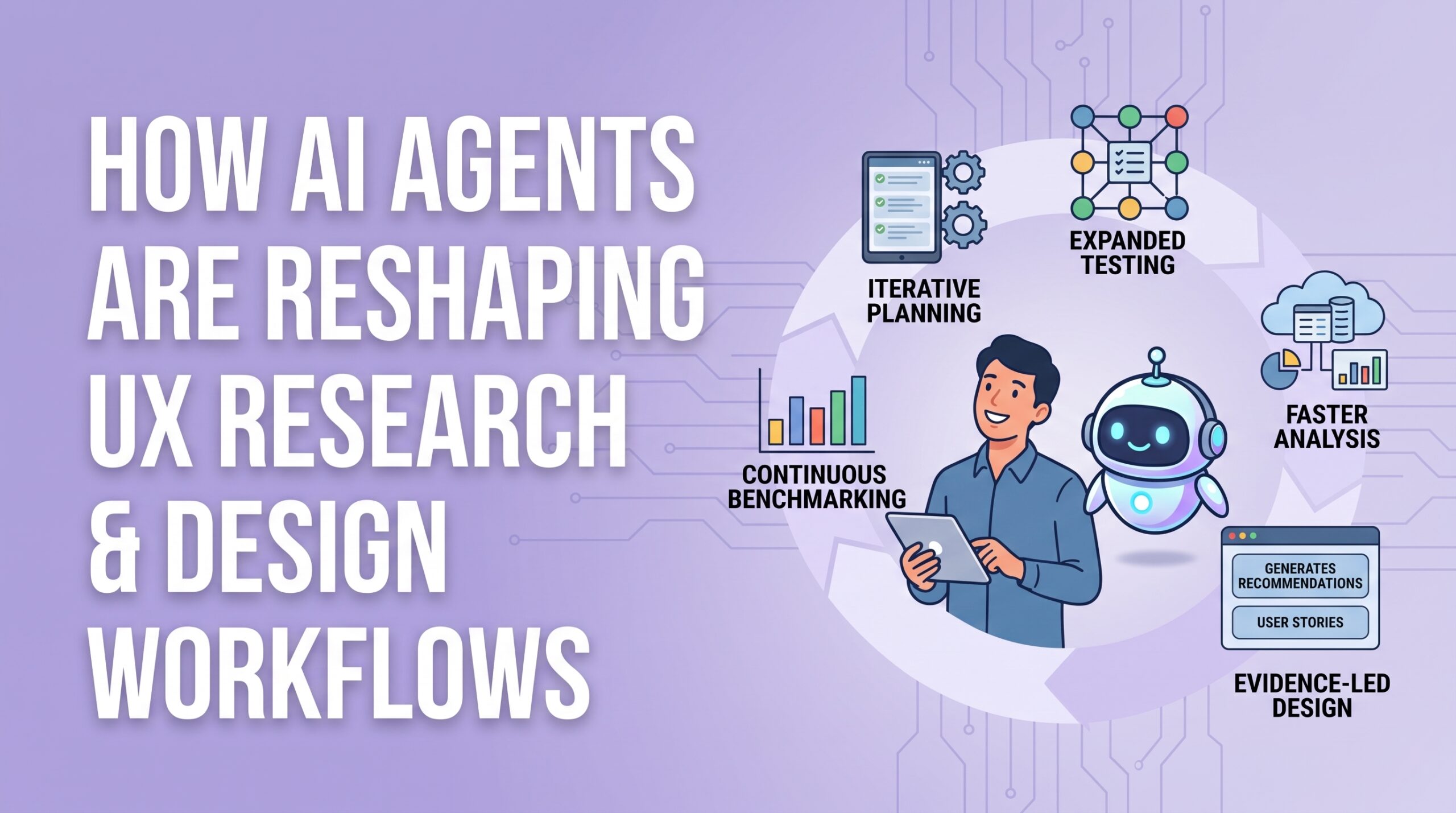
1. Research Planning Becomes More Iterative
AI Agents can help before a single participant enters the study.
They can turn product assumptions into testable hypotheses, suggest task scenarios, draft survey questions, and point out gaps in a study plan. For teams that run frequent user testing, prototype testing, mobile testing, or A/B testing, this can save real time.
The researcher still needs to own the final plan.
A task that sounds neat in an AI-generated draft may not reflect how users actually think. A survey question may be technically clear but biased. A prototype testing task may test the interface instead of the underlying user goal.
The best use of AI in planning is not speed alone. It is making assumptions visible earlier, while there is still time to challenge them.
2. Usability Testing Expands Beyond Human-Only Sessions
Human user testing remains essential because only real people reveal motivation, confusion, trust, hesitation, and emotional context.
Loop11’s AI Browser Agents give UX teams a way to test how AI Agents navigate websites, interact with interface elements, complete tasks, and where they get stuck. Agents do not experience websites exactly like humans. They rely on structure, labels, pathways, and page logic in different ways.
This can reveal broken paths, weak information architecture, unclear calls to action, poor website findability, or task flows that work for a person but fail when an AI Agent tries to complete the same task.
Consider a complex B2B quoting flow inside a platform like DealHub. A human user may understand that pricing, approvals, contracts, and revenue workflows sit across several steps. An AI Agent may expose whether those steps are labeled clearly enough to follow without handholding.
Or take a marketplace operations flow inside a marketplace platform like Shipturtle, where vendor onboarding, order routing, and fulfillment updates may sit across multiple roles. AI-agent testing can help teams spot where navigation logic, form labels, or findability creates friction.
The point is not to replace human usability testing. It is to test another interaction pattern becoming part of the user experience.
3. Analysis Moves From Manual Sorting to Faster Pattern Recognition
Research analysis is where many teams lose momentum.
After the study, someone has to review recordings, tag comments, compare notes, group feedback, and turn scattered evidence into clear findings. It is valuable, slow work.
AI Agents can help by summarizing transcripts, grouping similar comments, flagging repeated friction points, comparing behavior across sessions, and drafting first-pass summaries.
Loop11’s Conversations feature points toward a more accessible version of research analysis, where teams can ask natural-language questions across UX research projects and surface recurring issues faster.
Still, AI summaries should not become the evidence itself. A useful research finding still needs original user behavior behind it: what happened, who was affected, and what design decision should follow.
AI can get researchers to the signal faster. Humans still need to decide which signal deserves product priority.
4. Design Workflows Become More Evidence-Led
The real value of UX research is not the report. It is what changes in the product.
AI Agents can reduce the distance between research findings and design action. They can help turn themes into design recommendations, map pain points to interface changes, draft user stories, and help designers revisit evidence while working on flows.
A designer could ask what users struggled with in a checkout flow. A product manager could check whether a previous prototype testing study showed the same hesitation. A team choosing between A/B testing variants could review evidence before debating preferences in a meeting.
Our article on ways to use AI for UX design covers this broader shift: AI can help UX and UI design teams work through larger volumes of research data and uncover patterns faster.
The benefit is not prettier reports. It is making research reusable after the original study is complete.
5. AI Agents Change What Websites Need to Support
AI Agents are not only tools for researchers. They are also becoming part of how people experience websites.
Users may rely on AI assistants or browser agents to search, compare options, retrieve information, fill forms, and complete tasks. UX teams now need to ask two questions: can humans complete the task, and can AI Agents complete it too?
That changes how teams think about information architecture, website findability, form design, content structure, mobile testing, and online usability testing.
A page may look clean to a human visitor but still confuse an agent because labels are vague, navigation paths are inconsistent, or important content is buried in visual elements that are hard to interpret.
Good UX now needs to be legible to both people and systems acting on their behalf.
6. Benchmarking Becomes Part of the Continuous Workflow
AI Agents can make research faster, but teams still need measurable evidence that the experience is improving.
Benchmarking should happen before and after major design changes, information architecture updates, prototype testing, mobile testing, AI-agent testing, and A/B testing.
Useful metrics include task completion rate, time on task, error rate, drop-off points, satisfaction scores, website findability performance, and success rates across human users and AI Agents.
Check out our guide to benchmarking UX in SaaS products because it treats benchmarking as part of an ongoing product cycle, not a one-time report.
The new workflow is not one large research project before launch. It is continuous validation across humans, AI Agents, prototypes, and live digital experiences.
A Practical AI-Agent UX Research Workflow
A useful workflow can stay simple.
First, define the product decision the research must support. Then use AI Agents to draft hypotheses, tasks, and study questions. Refine the plan manually around real user goals.
Next, run human user testing to capture behavior, emotion, confusion, and trust. Run AI-agent testing to evaluate navigation logic, task completion, website findability, and machine-mediated browsing.
Use AI to summarize transcripts, comments, and recurring friction points. Review the findings manually and connect them to product priorities. Translate insights into design recommendations and user stories. Then use prototype testing, mobile testing, A/B testing, and benchmarking to validate improvements after release.
AI helps the workflow move faster. Research quality still depends on asking better questions and making better decisions.
Mistakes to Avoid
The biggest mistake is treating AI Agents as a replacement for real users.
AI Agents can expose structural issues, but they cannot fully explain motivation, emotion, trust, or context. Teams should also avoid letting AI write the whole study plan without review, treating AI summaries as final evidence, testing only happy paths, or ignoring mobile and accessibility context.
Another common mistake is using AI to speed up weak research. Faster synthesis will not save a poorly framed study. It will only make the wrong conclusion arrive sooner.
Wrapping Up
AI Agents are reshaping UX research and design workflows, but not by removing researchers from the process.
They help teams plan faster, test more interactions, analyze more data, reuse insights, and benchmark improvements. Loop11’s AI Browser Agents show how UX teams can begin testing agent behavior alongside human usability rather than treating AI-mediated browsing as a future problem.
The best UX teams will not use AI Agents to skip research. They will use them to make user testing more continuous, research findings more accessible, and design decisions more closely connected to evidence.
The workflow is changing. The responsibility is not.

- How AI Agents Are Reshaping UX Research and Design Workflows - August 25, 2026
 Give feedback about this article
Were sorry to hear about that, give us a chance to improve.
Error: Contact form not found.