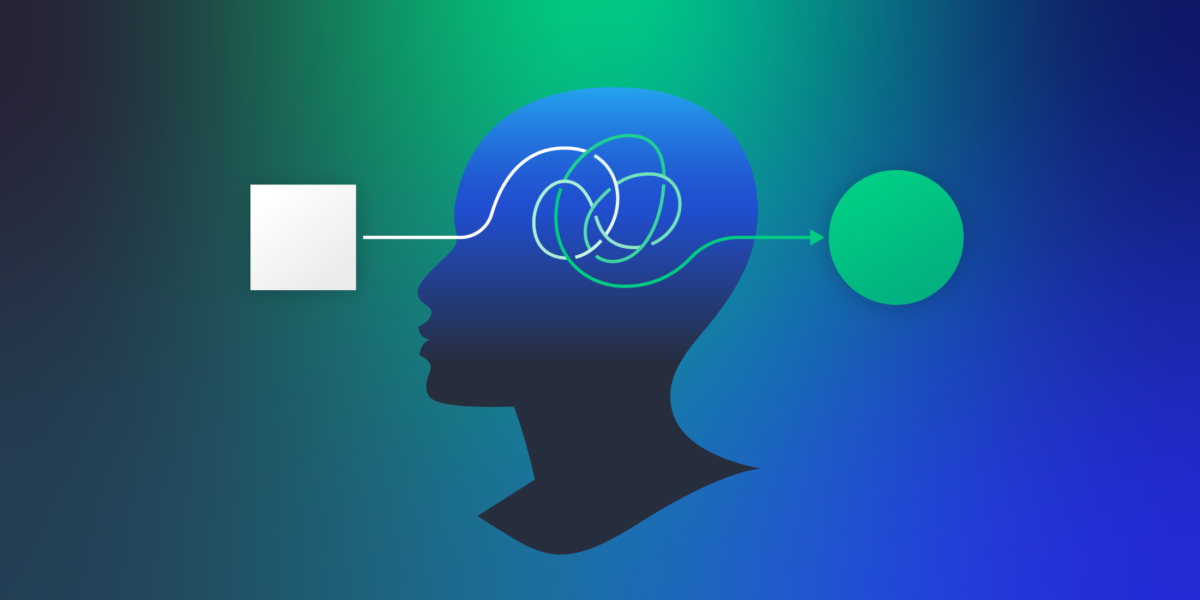
Users rarely say they are confused. More often, they continue clicking, scrolling, and attempting to make progress while quietly compensating for an interface that no longer supports their intent. They hesitate, backtrack, rely on search, or abandon tasks without clearly articulating why. These behaviors are not random. They are UX signals that indicate users are getting lost.
What makes these signals dangerous is not their subtlety, but how easily they are dismissed. Products can appear functional. Tasks can technically be completed. Metrics can remain stable. Meanwhile, users are expending unnecessary effort just to stay oriented. Over time, that effort erodes confidence, satisfaction, and trust.
UX signals matter because they reveal when the structure, language, and flow of a product no longer match how users think. Confusion rarely appears as a single breaking point. It accumulates gradually, shaping behavior in ways that are easy to overlook, even though research from PWC shows that 32% of customers are willing to leave a brand they value after just one bad experience.
Understanding these signals allows teams to intervene early, before small moments of friction compound into abandonment, lost trust, or costly structural redesigns.
Getting Lost Is a Structural Problem
When users struggle, the instinct is often to blame attention, motivation, or user error. In practice, getting lost is almost always a structural issue.
Product teams design with internal logic in mind. Features are grouped according to ownership, technical architecture, or organizational boundaries. Labels reflect internal terminology. Navigation grows organically as new functionality is added. None of this is inherently wrong, but it assumes users share the same mental model as the people building the product.
They do not.
Users arrive with goals. They want to accomplish something specific and move on. They do not know how features are grouped internally, nor do they care. UX signals emerge when users are forced to interpret structure instead of being guided by it.
This misalignment rarely appears suddenly. It develops over time as products evolve. Each incremental change seems reasonable in isolation. A new menu item here. A renamed section there. A shortcut added for one use case. Over time, the structure becomes harder to parse, even though nothing is technically broken.
Common structural contributors include:
- Navigation organized around internal terminology rather than user intent
- Labels that are accurate but ambiguous or overlapping
- Feature growth without revisiting information architecture
- Local optimizations that undermine global clarity
These issues do not cause immediate failure. Instead, they quietly increase the cognitive effort required to complete tasks. Users adapt, but that adaptation is itself a signal that the product is no longer doing enough of the work for them.
As products grow, structural problems often outlive individual fixes. Small navigation changes, label tweaks, or flow adjustments may reduce friction temporarily, but persistent UX signals usually point to a deeper issue.
This is often where teams need to decide whether to continue making incremental improvements internally or to outsource UX design to bring in focused expertise, fresh perspective, and the ability to challenge assumptions that have quietly shaped the product over time.
How Confusion Shows Up in Real User Behavior
Confusion is best understood through behavior, not through self-reported feedback. Users often do not realize they are struggling. They compensate silently, adjusting how they interact with the product to overcome friction.

Source: Freepik
Several recurring behavior patterns consistently indicate that users are getting lost.
Hesitation at Decision Points
One of the earliest and most reliable signals of confusion is hesitation at moments where the next step should feel obvious.
Menus, category pages, filters, and step transitions are designed to guide users forward. When users pause, reread labels, or scan the same options repeatedly, it usually means none of the choices clearly match their intent. The interface is asking users to decode the structure rather than supporting their goal.
Such hesitation can often be attributed to common UI/UX design mistakes that fail to facilitate a seamless experience. Hesitation is difficult to detect through analytics. A delayed click still registers as a click. Time-on-page metrics rarely distinguish between engagement and uncertainty. Only direct observation reveals the cognitive work users are being forced to do.
Over time, repeated hesitation increases mental effort. Even when users eventually succeed, the experience feels heavier and less intuitive than it should.
Backtracking and Navigation Loops
Another strong signal appears when users move forward and then immediately reverse course. They enter a section, realize it does not match expectations, go back, and try another path. Sometimes this happens multiple times before progress is made.
This behavior is often mistaken for exploration. In reality, it usually indicates misleading navigation cues. Users are guessing rather than navigating with confidence. Each wrong turn reinforces doubt and increases frustration.
Navigation loops are particularly damaging because they compound. The more often users experience them, the less they trust the interface to guide them correctly. Over time, users begin to rely on memory, workarounds, or external help instead of the product itself.
Search as a Recovery Mechanism
Search behavior becomes meaningful when viewed in context. When users rely heavily on search after failed navigation attempts, it often signals that menus and categories are no longer doing their job.
In many sessions, a consistent pattern emerges. Users attempt to navigate through menus, lose confidence, and then switch to search as a fallback. Search helps them recover, but it also masks deeper structural problems.
When search becomes the primary navigation method, it suggests users no longer trust the system to guide them. Discoverability suffers. Engagement becomes shallow. Users interact only with what they can explicitly ask for.
When Navigation and Structure Stop Guiding Users
As confusion increases, the problem shifts from isolated moments to systemic breakdowns. Navigation and structure stop acting as guides and instead become obstacles users must work around.
Poor Website Findability
Website findability problems arise when content exists but is difficult to locate through natural paths. Whether managing a complex custom site or comparing platforms like Shopify vs Squarespace, users may know what they want but struggle to determine where it lives.
This often happens when categories overlap, labels feel interchangeable, or hierarchy lacks clear prioritization. Users browse instead of navigate, scanning broadly rather than moving purposefully.
Findability issues rarely announce themselves loudly. Instead, they show up as longer paths, repeated page visits, and growing reliance on search or external references. As products grow, these issues tend to worsen unless the structure is revisited intentionally.
One way teams address findability challenges is by consolidating scattered content into a single, clearly structured hub. For example, using content aggregators like Walls.io can help surface relevant content in one place, reducing the need for users to hunt through multiple sections.
Information Architecture That Conflicts With Mental Models
Information architecture works when it reflects how users naturally group concepts. It fails when the structure mirrors the internal organization instead.
When users consistently expect content to live somewhere else, mental models and structure are misaligned. This forces users to learn the product rather than move through it intuitively.
These conflicts often surface when users explain what they expect to happen before they click. Repeated mismatches reveal where structure fails to support understanding and predictability.
Confident Actions That Lead to Wrong Outcomes
One of the most dangerous UX signals is confident misuse. Users move quickly and decisively, yet consistently end up in the wrong place.
This typically happens when labels feel familiar but do not match outcomes. The interface appears intuitive while quietly leading users astray. Because users feel confident, they are less likely to question their actions or provide explicit feedback.
Confident misuse is particularly risky because it can distort metrics. Users appear engaged while repeatedly making incorrect choices. Without qualitative insight, teams may misinterpret this behavior as success.
Why Mobile Exposes UX Problems Faster
Source: Freepik
Mobile environments amplify structural weaknesses. Limited screen space leaves little room for ambiguity, making unclear hierarchy and navigation more obvious.
Limited Space Increases Cognitive Load
On mobile devices, menus collapse, content stacks vertically, and visual cues compete for attention. Structural issues that feel manageable on desktop often become blockers on smaller screens.
Users scroll excessively, open and close navigation repeatedly, or abandon tasks entirely when paths feel unclear. Each additional interaction increases effort and frustration.
Mobile-Specific Behavior Signals
Certain mobile behaviors consistently indicate confusion:
- Long scrolling to locate basic information
- Repeated toggling of navigation elements
- Tasks abandoned despite successful desktop completion
Mobile testing often reveals problems that were always present but easier to ignore on larger displays. Treating mobile as secondary allows these issues to persist unnoticed.
Turning UX Signals Into Better Product Decisions

Source: Freepik
Recognizing UX signals only matters if teams act on them. The goal is not to eliminate every moment of hesitation, but to reduce unnecessary confusion that blocks progress.
Using User Testing to Validate Assumptions
User testing replaces assumptions with evidence. It shows where structure supports intent and where it silently creates friction. Observing real behavior allows teams to prioritize issues that genuinely affect users. Tools like Loop11 support this process by making it easier to observe real user behavior and identify patterns that are difficult to see through metrics alone.
To ensure testers remain focused during these sessions, many researchers now use interactive explainer videos to brief participants on key features and objectives. By adding an interactive layer to the onboarding process, teams can use built-in analytics to verify that the user actually understands the testing parameters before the session begins, reducing the risk of data being skewed by initial confusion.
Measuring Improvement Over Time
Tracking behavior across releases helps teams understand whether changes actually improve clarity. Reduced hesitation, fewer navigation loops, and higher task success rates indicate progress.
Supporting Insight With AI-Assisted Analysis
It works best when grounded in strong UX fundamentals and well-designed testing scenarios, an approach typically championed by an experienced UI/UX agency focused on evidence-based design decisions. Clarity rarely comes from a single redesign; instead, it emerges through continuous attention to how users move, hesitate, and adapt when things do not make sense.
Conclusion
Users getting lost is rarely obvious. It appears through hesitation, detours, and quiet workarounds, users keep moving forward. These behaviors are not mistakes. They signal that the product is asking users to do too much interpretive work on their own.
Intuitive products guide and clarify rather than forcing users to figure things out. When structure and language align with user intent, movement feels effortless. When they do not, confusion accumulates and becomes far more costly to fix.
Noticing UX signals early reduces risk. Regular exposure to real user behavior and ongoing attention to structural clarity help prevent confusion from becoming embedded in the product.

- UX Signals That Indicate Users Are Getting Lost - January 27, 2026
 Give feedback about this article
Were sorry to hear about that, give us a chance to improve.
Error: Contact form not found.