User experience design has a direct impact on how people perceive, trust, and interact with a digital product. But there is one factor that often determines whether a design truly works for everyone: accessibility.
Accessible web design is not simply about meeting compliance requirements. It is about ensuring that people with different abilities, devices, environments, and preferences can use a website without unnecessary barriers. This is where prototype testing becomes incredibly valuable.
Instead of waiting until a website is fully developed, prototype testing allows UX teams to evaluate design decisions early. It helps identify problems with navigation, readability, interaction patterns, forms, content hierarchy, and assistive technology support before those issues become expensive to fix.
In this blog, we’ll explore how prototype testing supports inclusive design, why accessibility testing should happen early, and how UX teams can create more usable digital experiences for everyone.
Defining Accessible Web Design: A UX Perspective
Accessible web design refers to the practice of creating websites that can be used by as many people as possible, including people with visual, auditory, motor, cognitive, and neurological disabilities.
From a UX perspective, accessibility is closely tied to usability. If users cannot read content, navigate menus, complete forms, understand instructions, or interact with key elements, the experience fails.
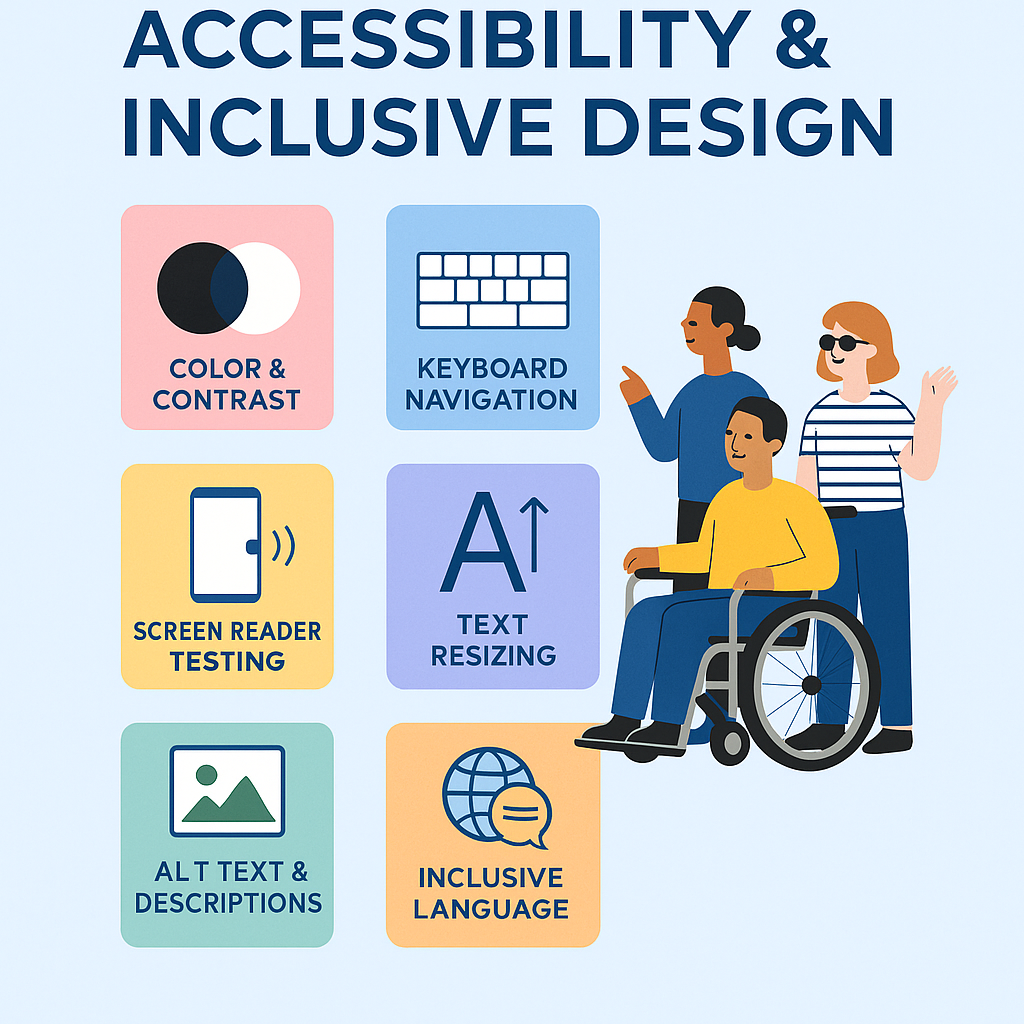
A truly accessible UX design considers:
- Clear navigation
- Strong color contrast
- Keyboard accessibility
- Screen reader compatibility
- Readable typography
- Helpful error messages
- Logical content structure
- Mobile and responsive usability
- Inclusive interaction patterns
The goal is not to design a separate experience for users with disabilities. The goal is to create a better experience that works for everyone.
Why Prototype Testing Matters for Accessibility
Many accessibility issues begin in the design stage. For example, a low-contrast color palette, unclear form label, confusing page layout, or hidden navigation pattern may be created before a developer writes a single line of code. If these problems are discovered after launch, fixing them can require redesign, redevelopment, and retesting.
Prototype testing helps teams avoid this by validating decisions earlier. It allows designers and researchers to ask important questions such as:
- Can users understand the page layout?
- Can users complete the main task without confusion?
- Are buttons and links clear?
- Does the design rely too much on color alone?
- Is the navigation predictable?
- Are forms easy to complete?
- Can users with assistive technologies move through the experience?
Prototype testing becomes even more effective when combined with broader accessibility testing services that evaluate usability barriers, assistive technology compatibility, and inclusive user interactions throughout the design process. Early accessibility validation helps teams reduce friction, improve user satisfaction, and create experiences that work better for everyone.
The Business Value of Accessible Prototype Testing
Accessibility is often discussed as a legal or ethical responsibility. While both are important, there is also a strong business case.
An accessible website can help brands:
- Reach a wider audience
- Reduce user frustration
- Improve conversion paths
- Build trust and credibility
- Lower redesign costs
- Strengthen customer loyalty
- Support long-term UX performance
When users experience friction, they may leave before completing a purchase, signing up, submitting a form, or engaging with content. That friction becomes a business problem.
Key Elements to Test in an Accessible Prototype
1. Navigation and Page Structure
Navigation should feel logical, predictable, and easy to follow. During prototype testing, observe whether users can find key pages, understand menu labels, and move through the journey without unnecessary effort. For accessibility testing, also check whether the navigation order makes sense for keyboard and screen reader users.
2. Color Contrast and Visual Clarity
Visual design plays a major role in accessible web design. Low contrast text, overly light buttons, and color-only indicators can create barriers for users with low vision or color blindness.
Prototype testing can reveal whether users notice important information, understand visual hierarchy, and identify interactive elements easily. During prototype testing, designers can use a color contrast checker to validate text, buttons, and UI components before development begins.
3. Forms and Error Messages
Forms are one of the most common places where accessibility and usability issues appear. Test whether users can:
- Understand each field
- Identify required information
- Recover from errors
- Read validation messages
- Complete the form without confusion
Clear labels and helpful error messages improve usability for everyone, not only users with disabilities.
4. Keyboard and Interaction Patterns
Not every user relies on a mouse. Some users navigate with a keyboard, switch device, voice control, or assistive technology. Prototype testing should review whether interactive elements are easy to reach, understand, and use. Avoid designs that depend only on hover effects, drag-and-drop actions, or complex gestures.
5. Content Readability
Accessible UX design also depends on clear content. Test whether users understand headings, instructions, labels, button text, and calls to action. Content should guide users through the experience without creating cognitive overload.
How to Run Prototype Testing for Accessibility
Start With Real User Tasks
Testing should focus on what users need to accomplish. Instead of only reviewing screens, create realistic tasks such as:
- Find product information
- Complete a sign-up form
- Search for support
- Compare service options
- Start a checkout process
- Update account details
Task-based testing reveals where users hesitate, misunderstand, or abandon the journey.
Include Diverse Participants
Inclusive testing works best when teams involve users with different access needs. This may include people who use screen readers, keyboard navigation, screen magnification, or mobile accessibility features. Even a small number of diverse participants can reveal issues that internal teams may miss.
Combine Usability Testing and Accessibility Testing
Usability testing accessibility should not be treated as a separate activity. If a user cannot complete a task because of an accessibility barrier, that is also a usability issue.
The best approach combines:
- User observation
- Accessibility heuristics
- Assistive technology checks
- Automated accessibility testing
- Qualitative feedback
Automated tools can catch some technical issues, but real users reveal whether the experience actually works. To strengthen the process, teams can combine user research with automated accessibility testing to identify common barriers early and improve the overall user experience before launch.
Prioritize Issues by Impact
Not all findings carry the same weight. Prioritize issues that block users from completing important tasks. High-priority accessibility issues may include:
- Users cannot navigate by keyboard
- Form errors are unclear
- Important content is missed
- Buttons or links are confusing
- Text is difficult to read
- The user journey becomes impossible with assistive technology
This makes accessibility improvements easier to communicate to stakeholders.
Common Challenges in Accessible Prototype Testing
Testing Too Late
One of the biggest mistakes is waiting until development is complete. At that point, accessibility fixes are usually harder and more expensive.
Relying Only on Automated Tools
Automated accessibility testing is useful, but it cannot fully judge clarity, context, task completion, or user confidence.
Not Recruiting Disabled Users
Teams often test with internal stakeholders or general users only. This limits the quality of accessibility insights.
Treating Accessibility as Compliance Only
Compliance matters, but accessible design should also improve usability, trust, and customer experience.
Ignoring Mobile Accessibility
Many users browse on mobile devices. Prototype testing should consider touch targets, zoom behavior, responsive layouts, and mobile assistive features.
Frequently Asked Questions About Accessible Web Design and WCAG
1. What is accessible web design?
Accessible web design means creating websites that people of all abilities can use, including users with visual, hearing, motor, cognitive, or neurological disabilities. It focuses on clear navigation, readable content, keyboard access, screen reader support, proper color contrast, and inclusive user journeys.
2. What are the 4 principles of WCAG?
The 4 WCAG principles are Perceivable, Operable, Understandable, and Robust, often called POUR.
- Perceivable: Users can recognize and access content.
- Operable: Users can navigate and interact with the website.
- Understandable: Content and functionality are clear.
- Robust: The website works with different browsers, devices, and assistive technologies.
3. What is an accessible design?
Accessible design is the practice of designing digital products, websites, apps, and interfaces so they can be used by as many people as possible. It removes barriers by considering different abilities, devices, environments, and ways people interact with technology.
4. What is WCAG vs ADA?
WCAG stands for Web Content Accessibility Guidelines. It is a technical standard that explains how to make websites and digital content accessible. ADA stands for Americans with Disabilities Act. It is a US civil rights law that prohibits discrimination against people with disabilities. In simple terms, WCAG provides accessibility guidelines, while ADA is a legal framework often connected to digital accessibility compliance.
5. What are the types of accessibility?
The main types of accessibility include:
- Visual accessibility: Supports users with blindness, low vision, or color blindness.
- Auditory accessibility: Supports users who are deaf or hard of hearing.
- Motor accessibility: Supports users who have difficulty using a mouse, keyboard, or touch screen.
- Cognitive accessibility: Supports users with memory, attention, learning, or processing differences.
- Speech accessibility: Supports users who cannot rely on voice-based interactions.
Final Thoughts
Prototype testing is one of the most effective ways to improve accessible web design before development begins. It helps UX teams identify barriers early, validate important design decisions, and create digital experiences that are easier for everyone to use. More importantly, it shifts accessibility from a final checklist to a core part of the design process.
When accessibility testing is built into prototype testing, teams create websites that are more usable, inclusive, trustworthy, and business-ready. That is the real value of accessible UX design: it not only helps people access a website. It helps them move through it with confidence.

LinkedIn Profile:- https://www.linkedin.com/in/dipenmajithiya/
- Prototype Testing for Inclusive and Accessible Web Design - June 9, 2026
 Give feedback about this article
Were sorry to hear about that, give us a chance to improve.
Error: Contact form not found.